Product · Bitrix24 · Industry bundle
Bitrix24 for manufacturing companies: the whole process from enquiry to service
An automated Sales → Production → Service flow built on Bitrix24, with full control over costs, documents and the profitability of every project. No more files scattered across e-mails and margins estimated "by eye" after the project is over.
Video
See the automation in action
 DEMO
DEMO
Problem
Sales, production and service work in isolation
Project documents (quotes, contracts, photos from the field, installation reports) live in different places. Sales, production and service do not talk to each other, so data is retyped by hand and part of the information is lost at every handover. You only learn a project's profitability after the fact, because costs are tallied in a spreadsheet and the margin comes out "however it comes out". Quote follow-ups depend on the salesperson's memory, and site surveys and installations have no standardised flow.
How it works
Three processes joined into one continuous flow
A deal moves smoothly between pipelines, and its data, documents and costs travel with it, without manual retyping. At every stage automations do the work in the background: they create folders, generate documents, watch deadlines and calculate the margin.
Sales
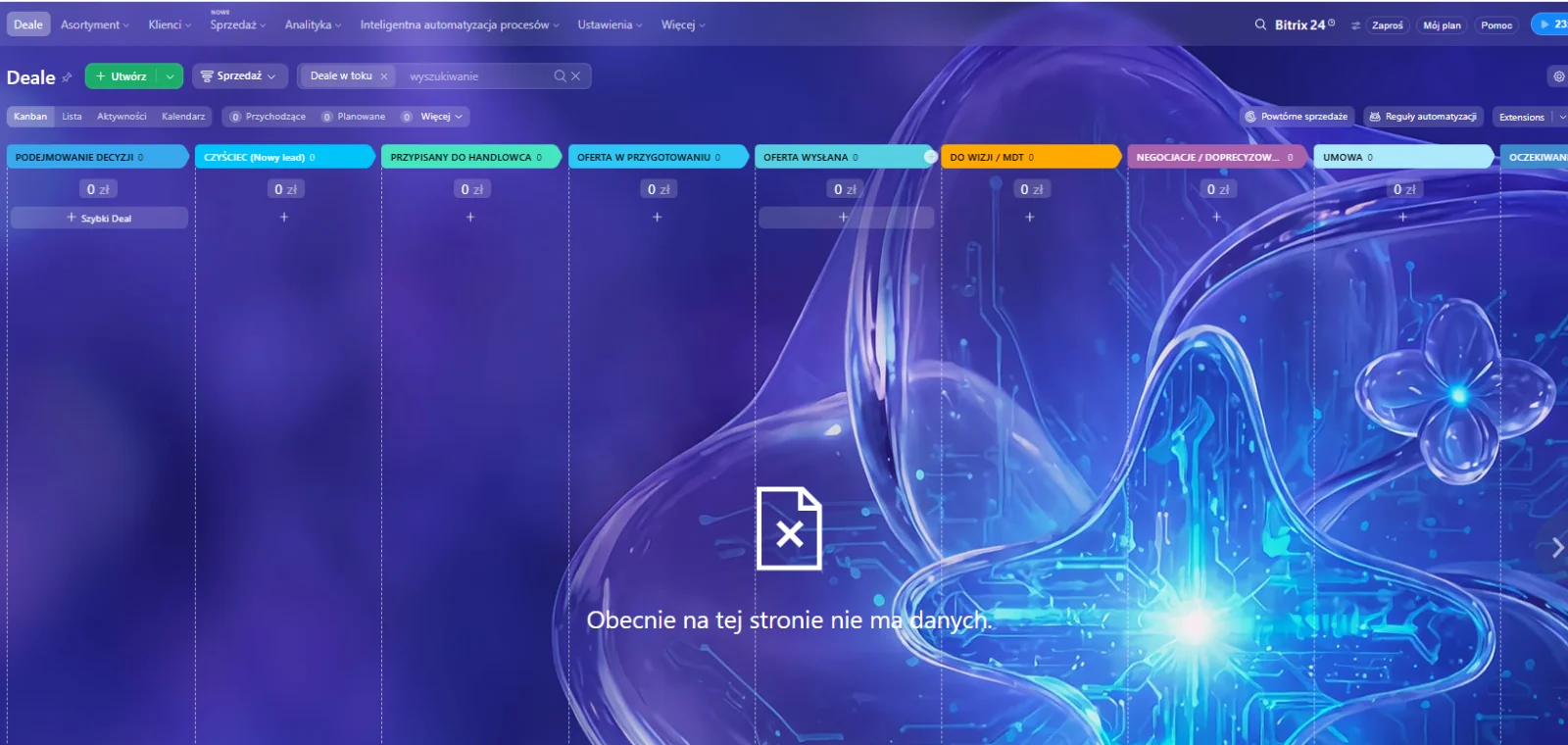
The pipeline guides the salesperson from enquiry to a signed contract: registration, delegating the site survey, a quote from a template, a follow-up sequence and contract handling. Statuses update themselves.
New enquiry · Site survey · Quote · Negotiations · Contract · Won
Production and installation
Once a deal is won, delivery kicks off: a production schedule, crew assignment, quality checklists and statuses from production to handover. The field crew gets tasks with the location, and the client gets progress notifications.
Production · Quality control · Shipping · Installation · Handover
Service
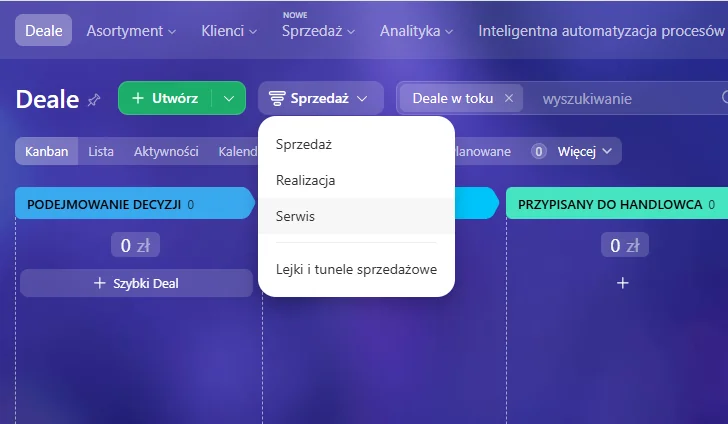
A separate pipeline keeps requests and complaints in order: registration, diagnosis, technician assignment with SLA control, intervention history and a link back to the original project. Nothing gets lost after delivery.
Request · Diagnosis · In progress · Resolved · Closed
Preview
See how it works
Automations
Six automations working in the background
- Folder structure on the driveNew client = an automatic, uniform folder tree (Quotes, Contracts, Site survey, Documentation, Installation, Service, Invoices).Trigger: new deal / client
- Site survey subprocessSends an employee into the field with a task, location and checklist; collects photos into the card and the client folder.Trigger: "Site survey" stage
- Quotes, contracts and follow-upsGenerates the quote from a template and runs a reminder sequence (2, 5, 10 days), updating statuses.Trigger: quote generated
- Installation deliverySchedule, crew assignment, quality checklists and statuses from production to handover, with client notifications.Trigger: deal "Won"
- Service pipelineA separate pipeline for requests and complaints with SLA control and an intervention history linked to the project.Trigger: new service request
- Profitability calculationCosts (materials, labour, transport, subcontractors) add up on the deal and are subtracted from payments.Trigger: cost / payment added
Signature feature
You know how much you really earn on every project
No more calculating the margin in a spreadsheet after the project is finished. Costs flow into the deal as they happen, and the system instantly shows the net profit and profitability.
- Costs summed automatically from the deal's items.
- Client payments settled in instalments (e.g. 30 / 40 / 30).
- Net profit = payments − total costs.
- Profitability (%) calculated live, ready for the management board.
Order in documents
One folder structure for every client
The moment a client is created, the system builds a complete, uniform folder tree on the company drive. Every file from the process (quote, contract, survey photos, documentation, installation reports, service requests, invoices) lands exactly where it should.
├── 01 · Quotes
├── 02 · Contracts
├── 03 · Site survey
├── 04 · Technical documentation
├── 05 · Installation
├── 06 · Service
└── 07 · Invoices
Results
What you gain
Want this flow in your manufacturing business?
Book a free audit and I will show you how to join sales, production and service in one Bitrix24.