Product
Bitrix24 GUS: company data by NIP/REGON
You type in a NIP number and Bitrix24 fills in the company name, address and registry data straight from the Polish GUS database. No more retyping and typos.
Video
See the automation in action
 DEMO
DEMO
Problem
Entering company data by hand eats your time
Every new B2B client means retyping the name, address and registry data from other websites into the CRM. With a few dozen companies a month, that is hours of work and a breeding ground for typos that later break invoices and correspondence.
How it works
Type in the NIP, the automation does the rest
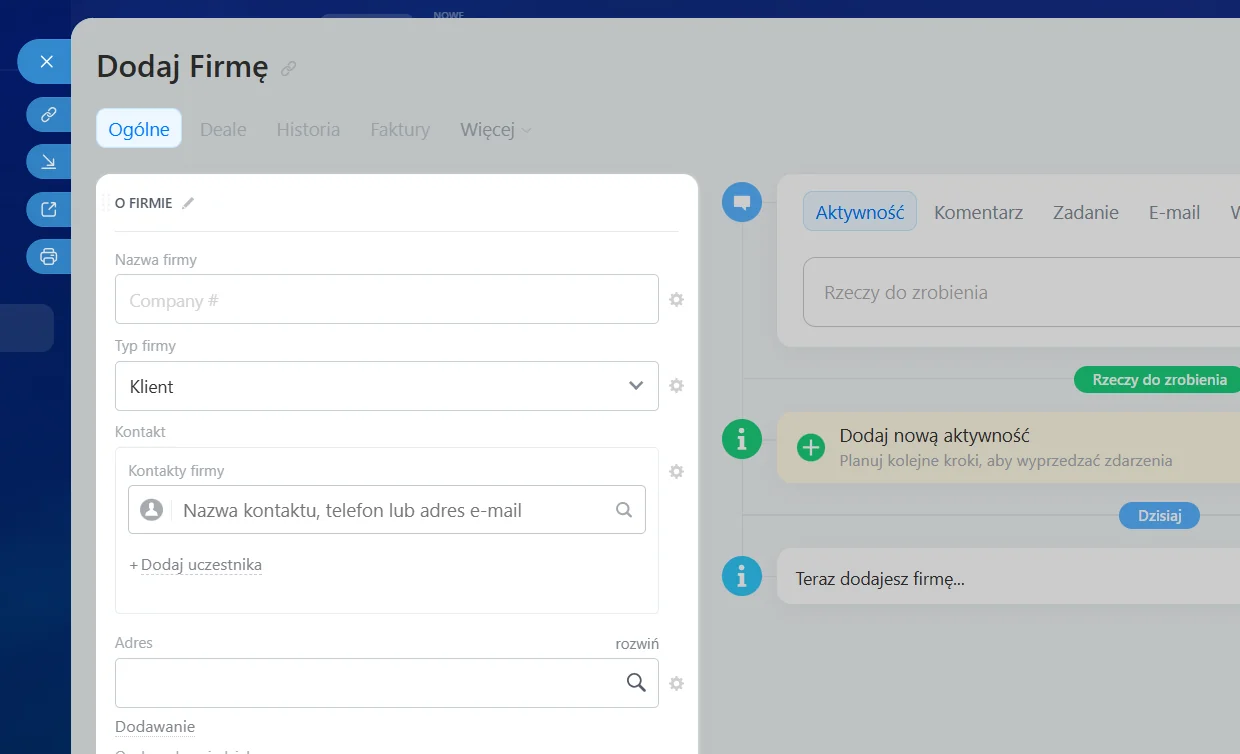
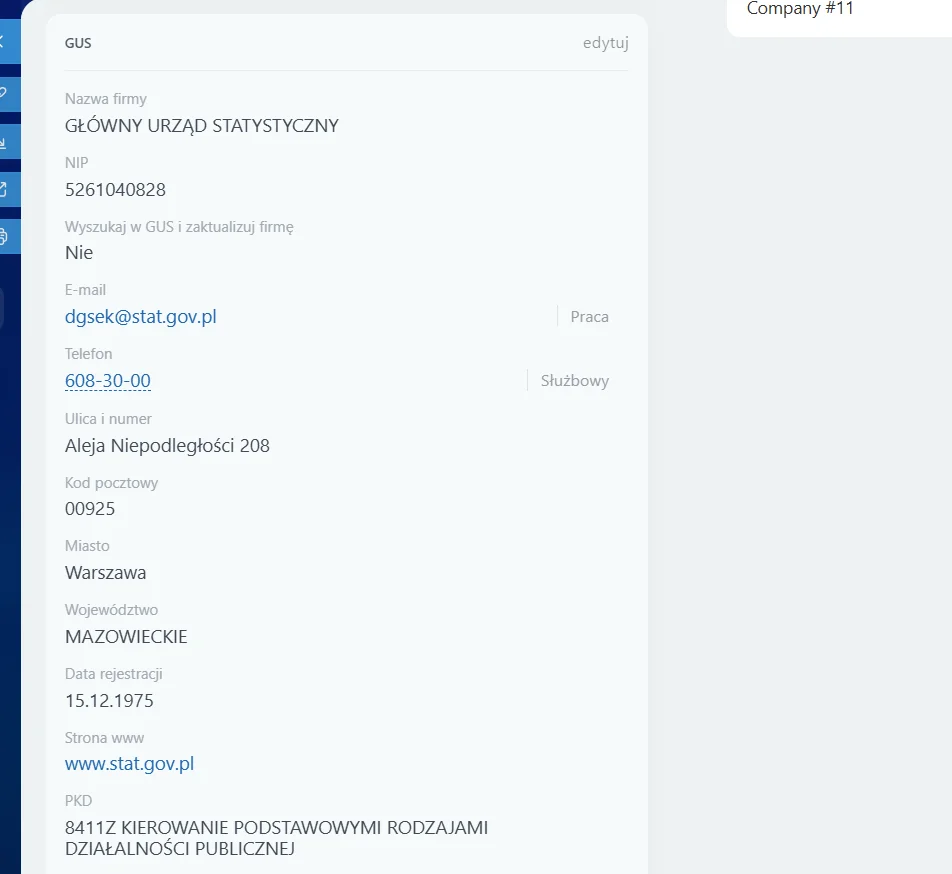
The add-on hooks into the company card in Bitrix24. After you enter a NIP (or REGON) number, the automation queries the GUS API and fills in the company fields with current registry data in a few seconds, without leaving the CRM.
You enter the NIP
In the Bitrix24 company card you type the NIP or REGON number.
Query to GUS
An n8n automation queries the GUS API for registry data.
Fields filled in
Name, address and company details land in the right CRM fields.
Done
The company card is complete, with no retyping and no mistakes.
Preview
See how it works
Results
What you gain
Want this in your company?
Book a free audit and I will show you how to add GUS lookup to your Bitrix24.